
Publishing a page is easy. Publishing a page that is useful, technically accessible and capable of competing in organic search requires a more deliberate process.
The Complete On-Page SEO Checklist for 2026
A page can contain accurate information and still underperform because it targets the wrong search intent, hides its main answer, competes with another URL on the same website or sends conflicting indexing signals. Small issues can also accumulate. A weak title, unclear heading structure, inaccessible internal links and an incorrect canonical tag may affect different parts of the search process, but together they can significantly limit visibility.
An effective SEO checklist should therefore examine more than keywords. It needs to review the complete path between the user’s search and the page’s performance: what the user wants, whether the content provides it, whether Google can crawl and understand the page, and whether results can be measured after publication.
Google’s Search Essentials organizes the foundations of search visibility around technical requirements, spam policies and key best practices. Its documentation also emphasizes helpful, reliable, people-first content rather than pages created primarily to manipulate rankings.
The following checklist can be used before publishing a new page or when reviewing existing content. It is designed for blog posts, landing pages, product pages, service pages and other indexable resources that are expected to attract organic visibility.
Search Intent and Page Strategy
On-page optimization should begin before the first paragraph is written. Titles, keywords and internal links cannot correct a page that was created for the wrong search intent. The first stage of the checklist determines what the page is expected to accomplish, which audience it serves and whether it deserves a separate URL.
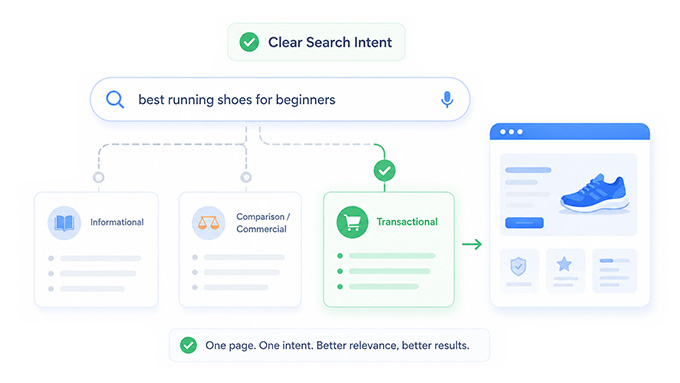
Confirm That the Page Serves One Clear Search Intent
Every indexable page should have one clearly defined primary purpose. A user may want to learn about a subject, compare alternatives, purchase a product, access a tool or find a specific website. The page format and content should reflect that objective.
Intent becomes unclear when a page tries to serve several unrelated goals. A guide that begins as an educational resource but suddenly becomes a product category may satisfy neither informational nor transactional users. Similarly, a commercial landing page filled with generic educational content may delay the information prospective customers actually need.
Define the primary user task in one sentence before writing. For example, the purpose may be to help a user understand how rank tracking works, compare SEO audit tools or identify the causes of an organic traffic decline. Secondary questions can support that task, but they should not replace it.
A clear intent also helps prevent keyword cannibalization. When two pages exist for the same audience, query and objective, they may compete instead of supporting one another.
Review the Current Search Results and Competing Pages
The search results show how Google currently interprets a query. Before creating a page, examine the types of results that appear, the level of detail they provide and the SERP features surrounding them.
If the first page is dominated by product categories, publishing a long informational guide may not match the prevailing intent. If the results include tutorials, videos and discussions, users may need practical demonstrations or first-hand experiences rather than a basic definition.
Competitor research should not become an exercise in copying headings. Its purpose is to understand the standard established by the current results and identify opportunities to provide something better. Review which questions competitors answer, where their explanations remain weak, what evidence they provide and whether the SERP has changed over time.
The strongest opportunity may be a missing example, clearer framework, more current information or original data that competing pages cannot easily reproduce.
Know when competitors move before they take your traffic
Compare your rankings with competing domains on the same keywords. Find the terms where they are pulling ahead, follow their movement over time and turn ranking gaps into a focused SEO action list.
No credit card required. Add the competitors that matter to each project.
Choose the Right Content Format and Scope
The best format depends on what the user wants to accomplish. A definition may need a concise explanation, while a technical process may require a detailed tutorial. Commercial searches may be better served by comparison pages, product categories or interactive tools.
Do not automatically turn every keyword into a long-form article. A page should be as comprehensive as necessary, but length should follow the task rather than an arbitrary content target.
Scope also determines whether the subject belongs on a new URL. Closely related keyword variations can often be addressed within one page. A separate page becomes justified when the search intent, audience, format or required answer is meaningfully different.
Before approving a new URL, compare it with existing content. Determine whether the new page fills a genuine gap or merely repeats an established resource using different wording.
Content Quality and Usefulness
Once the intent and format are clear, the next stage is evaluating whether the content provides a satisfying answer. Google states that its automated ranking systems are designed to prioritize helpful and reliable information created for people rather than content made mainly to gain search traffic.
This does not mean every page must be exhaustive. It means the page should complete its intended task accurately and efficiently.
Make the Main Answer Easy to Find
Users should not need to read several paragraphs of generic background information before discovering the answer promised by the title.
The introduction should establish what the page covers, why the subject matters and what the reader will be able to do after reading it. Important definitions or conclusions should appear close to the section where users expect them.
Direct answers do not require reducing the entire article to short fragments. A clear initial explanation can be followed by context, examples and limitations. The goal is to create a logical sequence in which readers receive the essential information before moving into deeper detail.
Review the page from the perspective of a first-time visitor. Ask whether the main answer is identifiable within seconds and whether headings make it easy to locate specific information.
Add Value Beyond the Existing Search Results
A page does not become competitive merely by containing all the headings found on other ranking pages. When the content only summarizes what is already available, Google and users have little reason to prefer it.
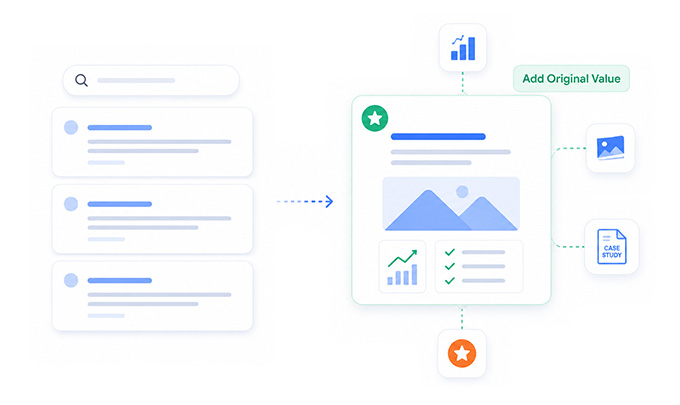
Original value can come from practical experience, proprietary data, expert interpretation, screenshots, case studies, templates, workflows or clearer explanations. Even a familiar topic can become more useful when it is supported by examples based on real situations.
Before publication, identify the part of the page that competitors would find difficult to reproduce. This does not need to be a large research project. A carefully documented process, meaningful comparison or original visual explanation may provide enough differentiation.
The page should remain worth publishing even without potential search traffic. That standard helps separate genuinely useful resources from content created only because a keyword appears in a research tool.
Demonstrate Experience and Expertise Where Relevant
Claims of expertise are less persuasive than visible evidence of expertise. A page should show how its conclusions were reached and why the creator is qualified to make them.
A tutorial can include screenshots and observations from completing the process. A review can explain how the product was tested. A case study should describe the methodology, initial conditions and limitations of the result.
Google uses E-E-A-T as a framework for discussing Experience, Expertise, Authoritativeness and Trustworthiness, but it does not describe E-E-A-T as one measurable ranking factor. Trust is especially important when content could affect health, finances, safety or other significant decisions.
Author biographies and reviewer information can support transparency, but they should reflect genuine participation. Adding an expert’s name to content they did not review does not make the page more reliable.
Verify Important Claims and Use Reliable Sources
Every factual claim should be accurate at the time of publication. Statistics, legal requirements, product specifications and technical recommendations should be checked against reliable and preferably primary sources.
External references are particularly important when the reader may make a consequential decision based on the information. Linking to official documentation, original research or recognized institutions gives users a way to verify the claim.
Sources should support the statement directly. A citation to a broadly related article does not establish that a specific statistic or conclusion is correct.
Content should also distinguish facts from opinions and interpretations. When a recommendation is based on experience rather than a documented rule, present it as practical guidance rather than an absolute requirement.
Remove Unnecessary Length and Repetition
Comprehensive content is not the same as long content. Google does not provide a preferred word count that pages must reach to perform well.
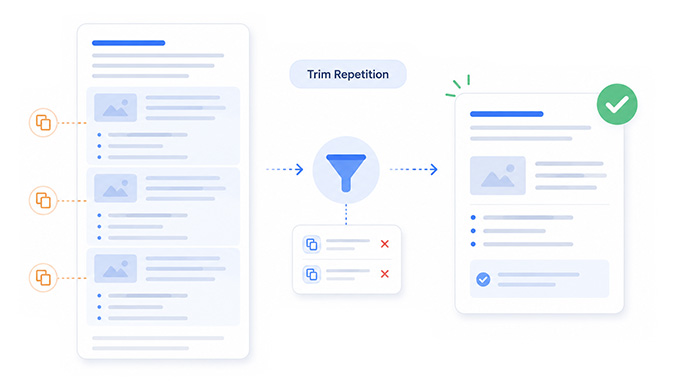
Every section should contribute to the user’s task. Repeated definitions, generic introductions and unrelated FAQs may increase length while making the main information harder to find.
During editing, review each section and ask whether it answers an important question, explains a complex point, adds evidence or supports a decision. Sections that do none of these should be removed, shortened or merged.
The correct length is the amount of content required to satisfy the intent thoroughly without creating unnecessary friction.
Titles, Headings and Metadata
Titles and headings communicate the purpose and structure of a page. They influence how users interpret the result and how search systems understand its primary subject. They should be descriptive and useful rather than treated as containers for repeating keywords.
Write a Specific and Accurate SEO Title
The title element should describe the page clearly and distinguish it from other resources on the website.
A strong title usually identifies the primary topic and provides enough context for users to understand what they will receive. Dates, numbers or qualifiers can be useful when they reflect the content, but they should not be added purely to attract clicks.
Avoid vague titles such as “Complete Guide” when the subject is not clear. Also avoid titles that promise results the page does not deliver.
Google can generate title links using several page elements, including the title element, visible heading and other prominent text. Consistent wording across these elements can help communicate the intended title more clearly.
Use One Clear H1 and a Logical Heading Hierarchy
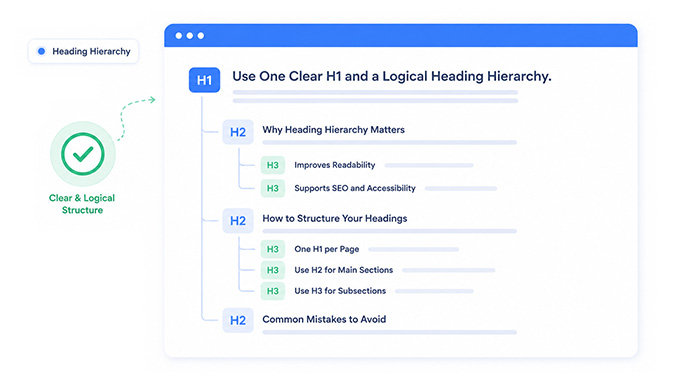
The H1 should identify the page’s primary subject. It can resemble the SEO title, but it does not need to match it word for word.
H2 headings should divide the article into major subjects, while H3 headings should develop meaningful subtopics within those sections. A heading should introduce enough content to justify its presence.
Avoid using headings merely to make text larger or creating an H3 for every short statement. Excessive fragmentation can make the page feel like a collection of notes rather than a coherent article.
Readers should be able to scan the headings and understand the full structure of the page without reading every paragraph.
Use Keywords Naturally and Cover the Topic Completely
The primary keyword should appear where it helps define the subject, including the title, H1, introduction and relevant sections. It should not be repeated according to a fixed density target.
Google advises using the words people would use to find the content in prominent locations such as titles, main headings, alt text and link text.
Related terminology, entities and questions should appear naturally as the topic is explained. This creates richer context without forcing awkward variations into every paragraph.
Keyword research should guide coverage rather than control sentence construction. The objective is to answer the need behind the query, not to insert every phrase exported from a research tool.
Write a Useful Meta Description
A meta description should summarize the page accurately and give users a reason to visit. It should describe the practical value of the page rather than repeat the title.
Google may use the meta description when it considers the text relevant to the query, but it can also generate a snippet from the visible page content.
Write a unique description for important pages and avoid filling it with disconnected keywords. Although there is no universal character count that guarantees the complete text will appear, the most important message should be communicated early.
A good description sets accurate expectations. Clicks generated by exaggerated copy provide little value when users immediately discover that the page does not deliver what was promised.
Keep the URL Short, Descriptive and Stable
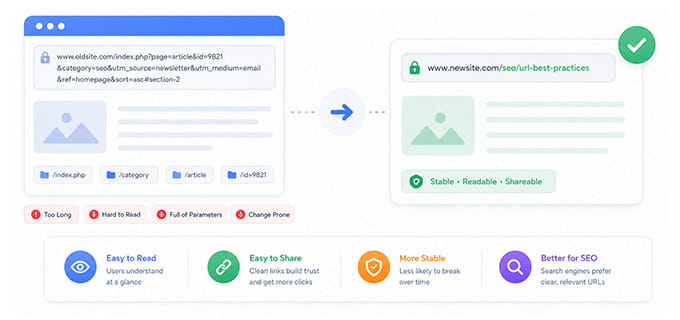
The URL should help users understand the subject without unnecessary parameters, dates or repeated folders. Use readable words separated by hyphens and avoid changing established URLs without a strong reason. When a URL must change, implement a direct redirect from the old location to the most relevant new destination.
Dates should generally be excluded from evergreen URLs because they can make a current article appear outdated after the content is refreshed. The URL does not need to reproduce the full page title. A concise version of the main subject is usually easier to read, share and maintain.
Images and Supporting Media
Images should improve understanding, demonstrate a process or provide evidence. Decorative media can support presentation, but it should not distract from the main content or create unnecessary loading costs.
Use Original and Relevant Images
Screenshots, diagrams, charts and illustrations can make complex explanations easier to understand. They are especially valuable when they demonstrate first-hand experience or explain information that would be difficult to communicate through text alone.
Place images near the relevant discussion and provide captions when additional context is needed. Google recommends using descriptive filenames and alt text and placing images on pages containing relevant surrounding text.
Avoid adding stock images simply to increase the number of visual elements. Every image should have a clear editorial or design purpose.
Compress files appropriately and use dimensions suited to the page layout so that visual content does not create avoidable performance problems.
Write Descriptive Alternative Text
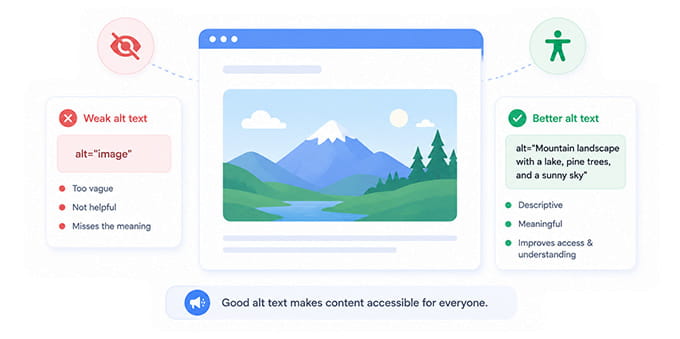
Alternative text should communicate the meaningful content or function of an image to users who cannot see it. Describe what the image shows in the context of the page. A screenshot demonstrating a Search Console indexing issue needs more useful alt text than “SEO image.”
Decorative images that provide no meaningful information can use empty alt attributes so assistive technologies do not announce unnecessary content.
Do not turn alt text into a list of keywords. Its primary purpose is accessibility, although accurate descriptions can also help search systems understand images.
Internal Linking and Site Architecture
Internal links connect related information, help users continue their journey and allow search crawlers to discover pages.
Google states that links are used to find new pages and as signals for understanding page relevance. It also recommends descriptive anchor text that helps users and Google understand the destination.
Add Relevant Internal Links
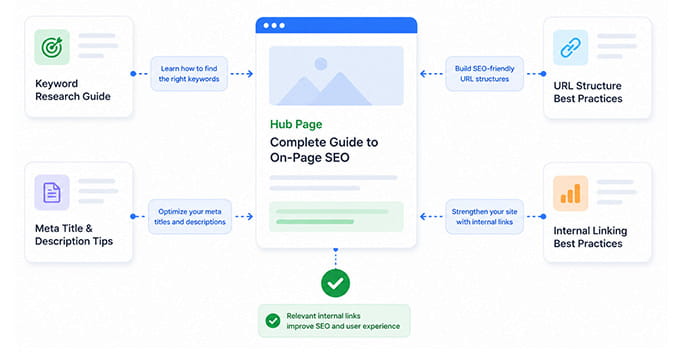
Every new page should connect to useful existing resources and receive links from relevant established pages. Internal links should appear where the destination provides the logical next step. A guide discussing ranking volatility may link to a deeper article about core updates, while an article about technical problems may direct users to an SEO audit page.
Use descriptive anchor text that explains the destination. Generic anchors such as “click here” provide less context than wording that identifies the subject of the linked page.
Avoid inserting links mechanically. Relevance is more important than reaching a target number of internal links.
Check for Orphan Pages and Content Cannibalization
A page that has no internal links pointing to it may be difficult for users and crawlers to discover. Before publication, determine where the new page belongs within the existing website architecture.
The page should be linked from an appropriate category, topic hub or related resource. Important pages should not depend only on sitemap discovery.
Also compare the new page with existing URLs targeting similar keywords. When two pages serve the same search intent, Google may alternate between them, select the wrong URL or divide relevance signals.
Resolve overlap by consolidating similar pages, differentiating their purposes or assigning one page as the primary resource.
Crawlability, Indexing and Canonicalization
A page cannot generate sustainable organic visibility when Google cannot access, process or index it correctly.
Google does not guarantee that every compliant page will be crawled, indexed or served, but following its technical requirements removes common barriers.
Confirm That the Page Is Indexable
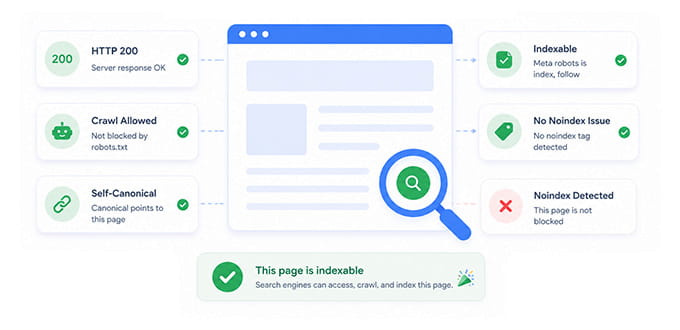
Check the page for noindex directives before publishing. These directives may appear in a robots meta tag or HTTP response header and prevent the page from appearing in Google Search.
Do not use robots.txt as a method for removing a page from the index. Google explains that robots.txt primarily controls crawler access and is not a reliable mechanism for preventing a URL from appearing in Search.
Confirm that the page returns a successful HTTP status, does not redirect unexpectedly and can be accessed without authentication. After publication, inspect the URL in Search Console to verify how Google sees the page and whether indexing is allowed.
Review the Canonical URL
A canonical tag indicates the preferred representative URL when similar or duplicate versions exist.
The canonical should normally reference the indexable version of the current page. It should not point to an unrelated URL or a page returning an error, redirect or noindex directive.
Google treats redirects and rel="canonical" annotations as strong canonicalization signals, while sitemap inclusion is considered weaker. Consistency across these signals makes the preferred URL easier to interpret.
Check whether parameters, print versions, HTTP variants or trailing-slash differences create additional versions of the same content. Internal links should consistently point to the preferred URL.
Make Important Links Crawlable
Google generally discovers pages through crawlable links. Important navigation and contextual links should use standard HTML anchor elements with resolvable destinations.
Links that exist only through custom JavaScript interactions may be harder to discover or interpret. Test the rendered page and confirm that Google can identify the destination.
Navigation should remain accessible across mobile and desktop versions. Hiding important links from the mobile page can weaken discovery because Google uses the mobile version of the site for indexing and ranking.
Include the Page in the Correct XML Sitemap
An XML sitemap helps search engines discover important URLs and understand information such as update dates and alternate-language versions. Only canonical, indexable URLs should normally appear in the sitemap. Remove redirected pages, error URLs and pages intentionally excluded from Search.
The lastmod value should reflect a meaningful content update rather than changing automatically whenever the template or sitemap is regenerated.
Submitting the sitemap in Search Console can help identify processing errors and show when Google last accessed it.
Find the issues holding your site back before rankings drop
Crawl your website, uncover technical and on-page SEO issues, and see which pages need attention first. SerpVision groups findings by severity so your next SEO sprint starts with the fixes that matter.
No credit card required. Audit on your schedule.
Mobile Experience, JavaScript and Performance
Google uses the mobile version of a site’s content for indexing and ranking. Mobile optimization is therefore not an optional secondary review. The mobile page should contain the same important content and provide a usable experience without intrusive elements or broken interactions.
Confirm Mobile Content Parity
The primary content, headings, metadata, images and internal links should remain available on mobile. Responsive designs may rearrange or collapse elements, but essential information should not disappear. Check whether tabs, accordions or dynamically loaded sections can still be accessed and rendered correctly.
Review font sizes, spacing, forms, buttons and navigation on a physical device or reliable device emulator. A layout can technically fit the screen while remaining difficult to use. Pay particular attention to overlays and pop-ups that obscure the main content shortly after the page loads.

Verify JavaScript-Rendered Content
Google can process JavaScript, but JavaScript introduces additional rendering steps that can affect discovery and indexing. Google provides specific guidance for ensuring that JavaScript applications remain accessible to Search.
Inspect the rendered HTML rather than only the initial source. Confirm that the main text, links, canonical tag and structured data are present after rendering.
Avoid requiring user interaction before essential content becomes available. Important information should not depend on a click, scroll event or browser feature that Google may not execute as expected.
Server-side rendering, static generation or progressive enhancement can reduce dependence on client-side processing for critical content.
Review Core Web Vitals and Overall Page Experience
Core Web Vitals measure loading performance, interaction responsiveness and visual stability based on real-world user experience. Google recommends achieving good Core Web Vitals as part of providing a strong experience.
These metrics should not be treated as a magic ranking formula. Passing every threshold does not guarantee high positions, and excellent content can still underperform when it does not match the query.
Review the wider experience as well. The main content should be visually clear, navigation should work reliably and advertising should not overwhelm the page. Google encourages site owners to evaluate page experience as a complete set of considerations rather than focusing on one signal.
Optimize large images, unnecessary scripts, fonts and third-party resources, but avoid removing functionality that provides genuine value merely to improve a laboratory score.

Structured Data and Search Appearance
Structured data can help Google understand entities and information on a page and may make eligible pages available for certain rich result formats. It should describe the visible content accurately rather than introduce information users cannot find on the page.
Use Only Relevant and Supported Structured Data
Select a structured data type that matches the page. Blog posts may use Article markup, while products, recipes, events and organizations have their own supported properties and requirements.
Google states that Article structured data can help it understand information such as the title, images, author and dates associated with an article. Adding structured data does not guarantee a rich result. The page must also comply with the relevant technical and content guidelines.
Avoid generating markup automatically without checking whether its values match the visible page. Incorrect prices, dates, ratings or authorship information can create misleading signals and validation problems.
Validate the Markup Before Publishing
Test structured data using appropriate validation tools and review warnings in context. Errors involving required properties should be corrected before publication. Validation confirms that the markup follows the expected format, but it does not prove that the visible content is accurate or that Google will display a rich result.
Recheck the markup after major template changes. A page may remain visually correct while a deployment removes or duplicates structured data properties.

Final Pre-Publication Review
The final review should be completed on the actual page or staging environment rather than only inside a document editor. This stage confirms that content, layout and technical signals work together as intended.
Review the Complete Page on Desktop and Mobile
Read the page from beginning to end and inspect the layout on multiple screen sizes. Confirm that headings follow a logical order, links open the intended destinations and visual elements remain legible. Check forms, buttons, tables, accordions and embedded media.
Review the title, description, canonical tag, robots directives and structured data in the rendered page. Ensure that no staging-domain references or placeholder content remain.
Also check whether calls to action appear at logical points in the user journey. A CTA should support the next step without repeatedly interrupting the main content.
Establish a Performance Baseline
Record the publication date, target queries and current performance of any existing URL being updated. Search Console can be used to monitor queries, pages, countries, devices, impressions, clicks and average position. Google also recommends combining Search Console and analytics data to understand how users discover and experience a website.
Do not evaluate success using one keyword alone. Monitor groups of related queries, landing-page impressions and conversions over an appropriate period.
When performance declines, Google recommends considering technical issues, algorithmic changes, security problems, search demand and SERP changes rather than assuming one cause immediately.
Stop guessing where your pages rank on Google
Track keyword positions across different countries, locations and devices. See ranking changes, uncover new opportunities and react before your competitors do.
No complicated setup. Add your keywords and start tracking.
Final Thoughts about On-Page SEO Checklist
Effective on-page SEO is not a final layer added after the content has been written. It begins with choosing the right intent and continues through content creation, technical implementation and post-publication monitoring.
A page needs to satisfy a real user task, provide information worth retrieving and remain accessible to search crawlers. Titles, headings and keywords help communicate the subject, but they cannot compensate for weak intent or unoriginal content. Technical optimization removes barriers, but it cannot create usefulness on its own.
The strongest publishing process combines all of these elements. It verifies the need for the page, improves the quality of the answer, confirms that indexing signals are consistent and establishes a baseline for measuring results.
SEO performance should then be monitored rather than assumed. Rankings, impressions, competitors and SERP layouts can continue changing after publication. A reliable checklist gives teams a repeatable process for responding with evidence instead of guesswork.
Join the conversation
Share your question, add a practical note, or continue the discussion below.
No comments yet
Be the first to add a thought to this article.